Mr.Kaituang LITE · Teacher-operated classrooms

Classroom management for younger children
No student phones needed

Scores · Attendance · EXP · Savings

Attendance, scores, notebook hand-ins and savings for kindergarten and primary classrooms. Manage everything from your phone, tablet or computer. Students do not need an account or a LINE group.

Add LINE to try Mr.Kaituang LITE free

Add the teacher’s LINE assistant, then choose LITE

Your everyday classroom routines

One class roster, records you can revisit

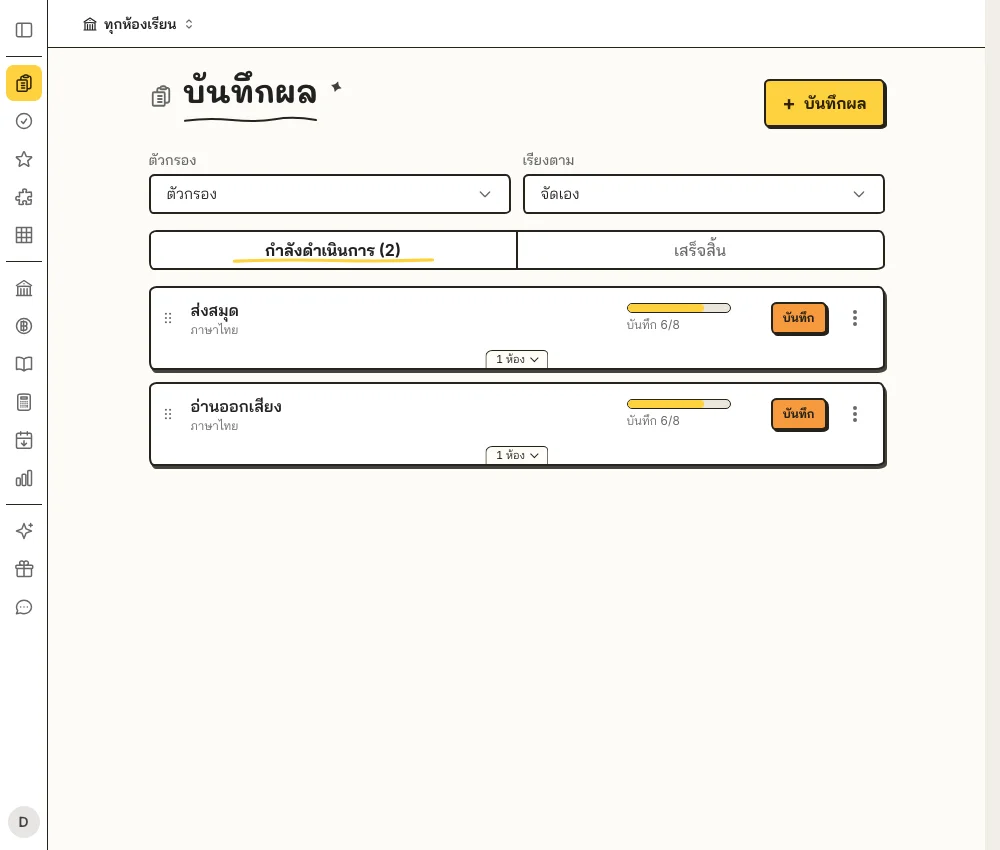
Demo records for reading scores and student workbook hand-ins

Record scores and workbook hand-ins

Students work in class. You record the results directly.

  • ✅ Record reading, worksheet or classroom activity scores.
  • ✅ Track who handed in a workbook, even when the activity has no score.
  • ✅ Review individual progress, total scores and export data to Excel.
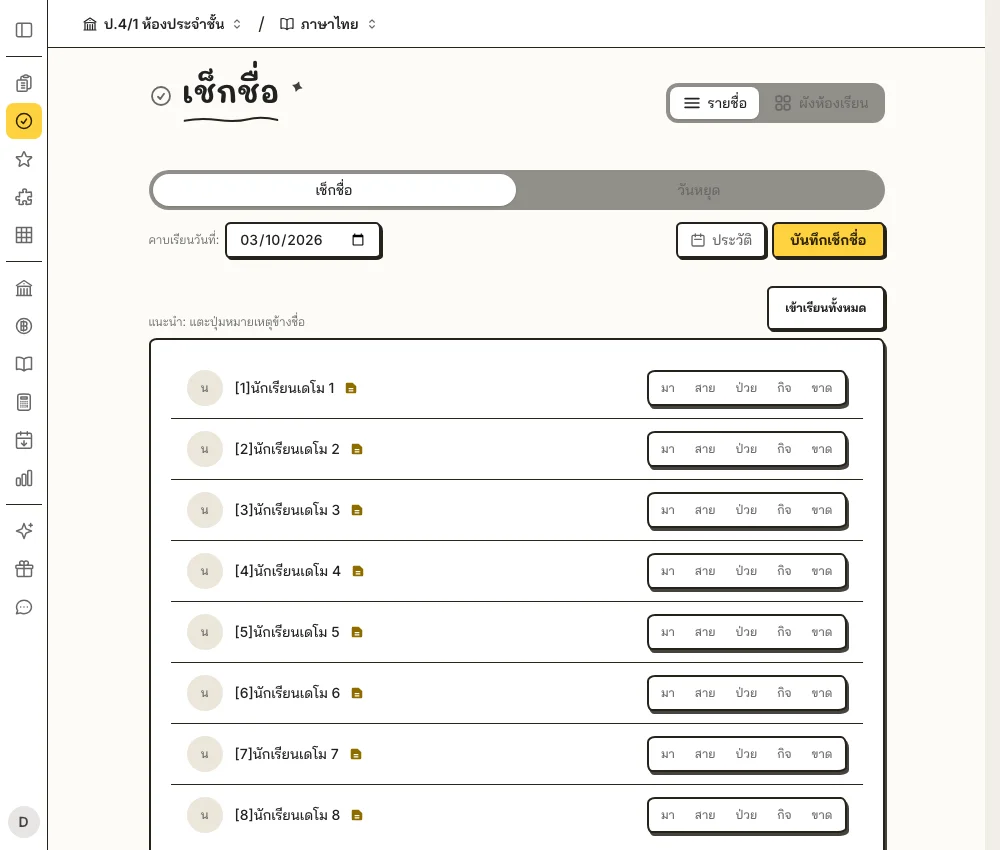
Demo teacher taking attendance in a LITE classroom

Take attendance before the lesson starts

Open the roster or seating map and record attendance on your own screen.

  • ✅ Mark each student present, absent, on leave or late.
  • ✅ Add notes and return to correct previous attendance records.
  • ✅ Review attendance summaries and export Excel records by semester.
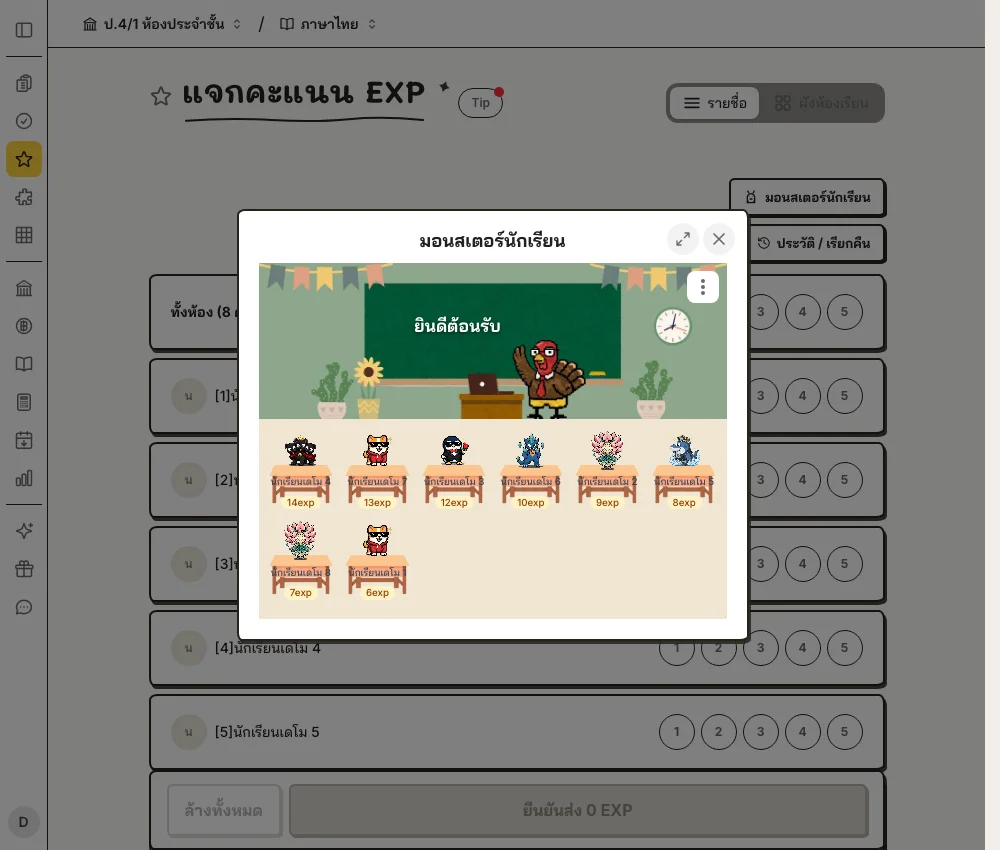
Demo LITE classroom monsters growing with each student’s EXP

Give EXP to encourage classroom participation

Award EXP for answering questions, helping classmates or joining activities, and watch each child’s monster grow with their points.

  • ✅ Give EXP to individual students or the whole class from your screen.
  • ✅ Open the classroom’s monsters so children can see their progress together.
  • ✅ Monsters grow automatically—children need no phone or EXP-claiming step.
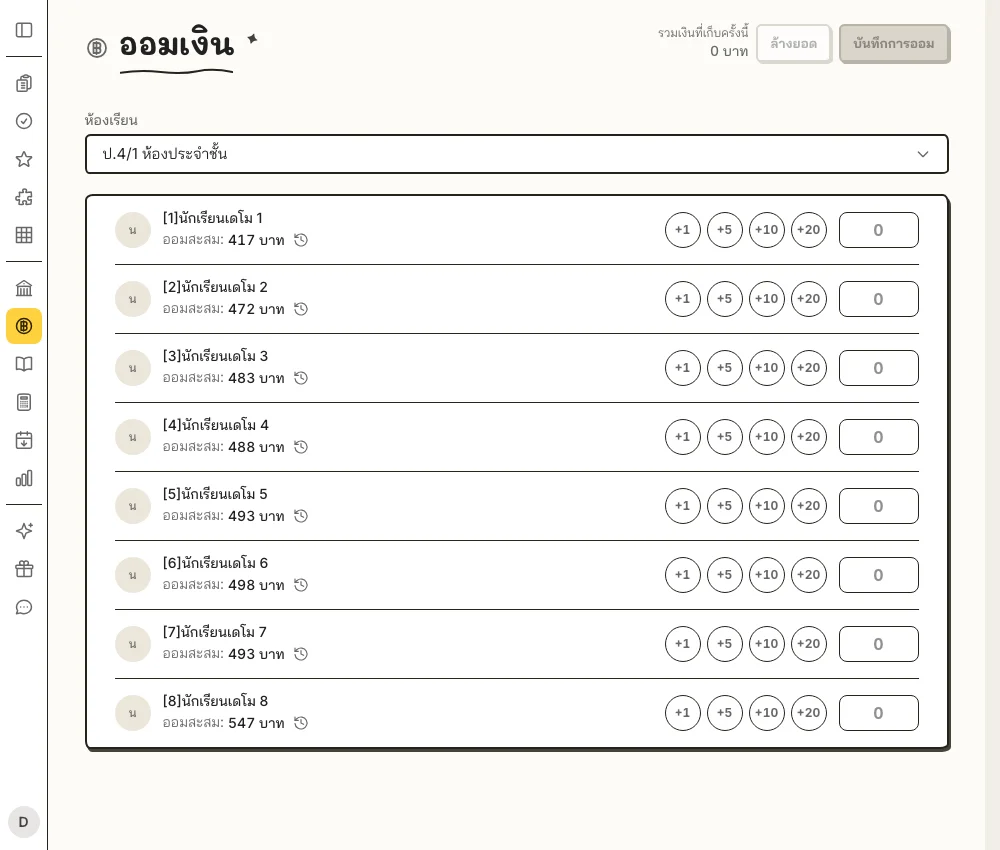
Demo LITE classroom savings roster with individual accumulated balances

Record savings without adding up totals

Collect cash from students, then record each amount in your homeroom.

  • ✅ Tap +1, +5, +10 or +20, or enter an amount, then save the collection together.
  • ✅ See every student’s accumulated savings, separated by semester.
  • ✅ Open the history to see each amount, date and recording teacher.
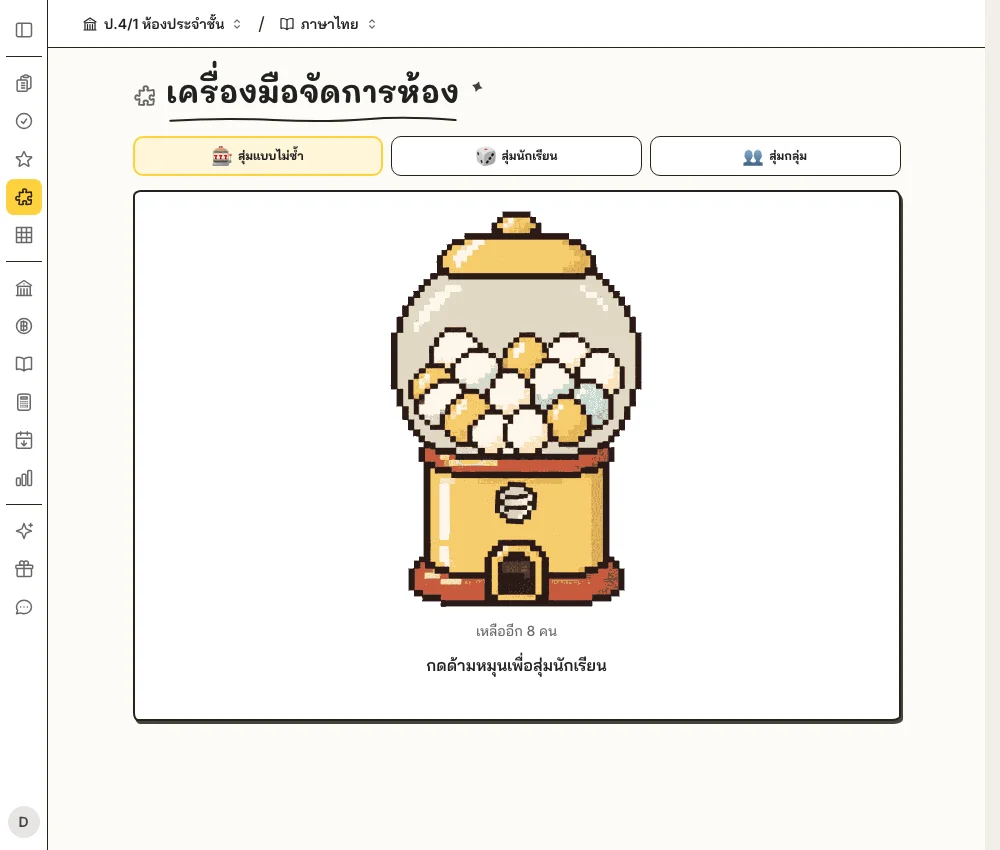
Demo LITE classroom tools with the student name-picking gacha

Pick names and make groups together

Turn calling on students and creating groups into activities the whole class can enjoy.

  • ✅ Use no-repeat name-picking gacha to give everyone a turn.
  • ✅ Create groups from your class roster and award EXP by group.
  • ✅ Run it on the teacher’s classroom screen—no student phones needed.
Add LINE to try Mr.Kaituang LITE freeUse the same student roster for every classroom routine

Start with your own classroom

Already have a roster? You’re ready to start.

  1. Register as a teacher and choose LITE

    Add Mr.Kaituang on LINE and register with your own teacher account.

  2. Create a class and paste your roster

    Name the class, choose subjects and type or paste student names, numbers and nicknames from Excel.

  3. Open your classroom and get started

    Take attendance, record scores, award EXP or collect savings—the teacher enters the information.

FAQ

Questions, answered

Do students need a phone or LINE account?

No. Teachers add the roster and record information themselves. LITE classrooms do not need a student LINE group.

Which devices can the teacher use?

Use your phone, tablet or computer. Register and sign in with your own LINE account, then open the web app to manage your classroom.

How are savings separated by class and semester?

Each classroom has a shared savings ledger. Teachers of the same class see the same balances. Every semester starts a new total while previous history is retained.

Is LITE only for primary-school teachers?

No. LITE suits teacher-operated classrooms, especially younger children without phones. Teachers of other age groups can choose it too.

Mr.Kaituang mascot — start using for free via LINE

You manage the class. Children focus on learning.

Start with your own classroom without waiting for students to have phones.